How to Control Anonymous Thread Replies in Slack: Complete Admin Guide 2026
Master thread reply controls to balance open communication with organized workspace management
🎯 What You'll Learn
- How to enable/disable anonymous thread replies
- When to restrict thread replies for better team dynamics
- Best practices for thread reply management
- Balancing anonymity with workspace organization
- Real-world use cases across industries
Why Thread Reply Control Matters in 2026
Anonymous thread replies have become a cornerstone of modern workplace communication, allowing team members to engage in ongoing conversations without revealing their identity. However, as Slack workspaces grow and communication becomes more complex, administrators need granular control over how and when these features are used.
73%
of teams report better organization with thread controls
2.5x
increase in focused discussions with proper thread management
45%
reduction in thread clutter when controls are implemented
Understanding Anonymous Thread Replies
What Are Anonymous Thread Replies?
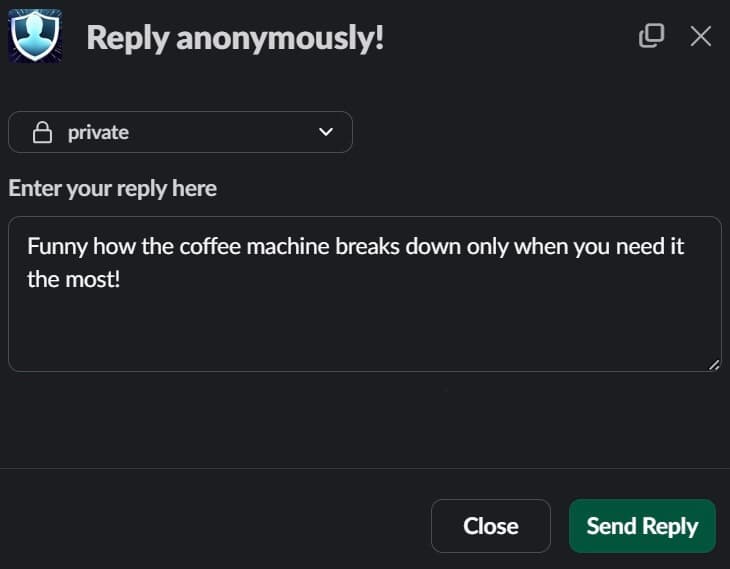
Anonymous thread replies allow team members to respond to messages in Slack threads without revealing their identity. This feature is particularly valuable for:
- Continuing sensitive conversations without attribution
- Providing follow-up feedback on anonymous topics
- Asking clarifying questions without social pressure
- Building on ideas without hierarchical bias
- Maintaining consistency in anonymous communication
The Default Setting: Enabled
By default, anonymous thread replies are enabled in Anony Botter. This ensures seamless anonymous communication right from installation. Team members can reply to any message anonymously, fostering open dialogue and continuous feedback loops without administrative intervention.
💡 Pro Tip: Most teams benefit from keeping thread replies enabled. Only disable this feature if you're experiencing specific issues like thread spam or need to channel feedback into specific channels.
How to Control Thread Replies: Step-by-Step
Accessing Admin Settings
- Navigate to Anony Botter settings in your Slack workspace
- Navigate to "General Settings" page
- Toggle "Disable anonymous thread replies" to enabled
- Save your changes - effects are immediate workspace-wide
- Monitor team communication to assess the impact
⚠️ Important: Only workspace admins and designated moderators can change thread reply settings. Regular users will see thread reply options based on your configuration.
When to Disable Anonymous Thread Replies
Scenario 1: High-Volume Feedback Channels
📊 The Challenge
In channels with hundreds of messages daily, thread replies can become overwhelming. Team members may lose track of important discussions buried in lengthy threads.
✅ The Solution
Disable thread replies to encourage new top-level messages for distinct topics. This keeps the channel organized and makes it easier to track different conversation streams.
Scenario 2: Formal Communication Channels
🏢 Use Case
Some channels require more structured communication:
- Executive announcements
- Policy updates
- Compliance channels
- Official feedback collection
In these contexts, disabling thread replies ensures each piece of feedback stands alone as a discrete item, making review and action planning more straightforward.
Scenario 3: Preventing Thread Derailment
When anonymous threads tend to veer off-topic or become unproductively lengthy, disabling thread replies can help maintain focus. This encourages team members to start new conversations for new topics rather than continuing tangential discussions.
Best Practices for Thread Reply Management
1. Start Enabled, Adjust as Needed
Begin with thread replies enabled to encourage free-flowing communication. Monitor usage patterns for a few weeks before making changes. Data-driven decisions lead to better outcomes than preemptive restrictions.
2. Channel-Specific Communication Guidelines
Create clear guidelines for different channel types. For example:
- #general-feedback: Thread replies enabled for discussions
- #anonymous-suggestions: Thread replies disabled for clarity
- #team-pulse: Thread replies enabled for follow-ups
3. Communicate Changes to Your Team
When disabling thread replies, announce the change and explain the reasoning. Transparency helps team members understand the decision and adapt their communication style accordingly.
4. Regular Review and Adjustment
Team needs evolve. Review your thread reply settings quarterly to ensure they still serve your organization's communication goals. Don't be afraid to re-enable if your team dynamic changes.
Industry-Specific Use Cases
Technology Companies
Enabled: Sprint retrospectives, code review feedback, technical discussions
Disabled: Bug reports (to keep each bug as separate item), feature requests requiring formal tracking
Healthcare Organizations
Enabled: Workplace culture discussions, peer support channels
Disabled: Safety incident reporting (each incident needs clear separation), compliance concerns requiring individual review
Financial Services
Enabled: Process improvement suggestions, team collaboration
Disabled: Audit feedback (requires discrete tracking), risk reporting channels (each risk assessed independently)
Impact on Team Communication
With Thread Replies Enabled
✅ Benefits
- Natural conversation flow
- Easy follow-up questions
- Contextual discussions
- Reduced channel clutter
- Deeper topic exploration
⚠️ Considerations
- Threads can become lengthy
- Topics may drift off-course
- Important points buried deep
- More difficult to track distinct issues
With Thread Replies Disabled
✅ Benefits
- Each topic stands alone
- Easier to track and categorize
- Prevents thread sprawl
- Better for formal feedback
- Simplified admin review
⚠️ Considerations
- Less conversational feel
- Follow-ups require new messages
- May increase channel volume
- Context can be lost
Troubleshooting Common Issues
❓ "Users are confused about why they can't reply in threads"
Solution: Post a clear announcement explaining the change and why it was made. Pin the message to the channel description for easy reference.
❓ "We disabled thread replies but now have too many top-level messages"
Solution: Consider re-enabling thread replies or creating separate channels for different types of feedback. Sometimes the cure creates its own challenges.
❓ "Can we enable thread replies in some channels but not others?"
Solution: Currently, thread reply settings apply workspace-wide. Use channel guidelines and pinned messages to communicate different expectations for different channels.
Frequently Asked Questions
Does disabling thread replies affect existing threads?
No. Disabling thread replies only prevents new anonymous replies from being added to threads. Existing thread conversations remain intact and visible. This ensures no communication history is lost when settings change.
Can users still reply normally (non-anonymously) in threads?
Yes. This setting only controls anonymous thread replies through Anony Botter. Regular Slack thread replies continue to work normally for all users. This gives teams the flexibility to have both anonymous and identified conversations.
Will users be notified when thread replies are disabled?
Users won't receive an automatic notification, but the reply option will no longer appear on anonymous messages. We recommend posting an announcement when making this change to avoid confusion and explain your reasoning.
Can I temporarily disable thread replies?
Absolutely. You can toggle this setting on and off as needed. For example, you might disable thread replies during a focused feedback collection period, then re-enable them for normal operations. Settings changes take effect immediately.
Is this feature available on the free plan?
Yes! Thread reply control is available on all Anony Botter plans, including the free plan. All teams can benefit from this organizational feature regardless of their subscription level.
Get Started with Thread Reply Control
Take control of your workspace's anonymous communication with granular thread reply settings. Whether you need free-flowing discussions or structured feedback collection, Anony Botter gives you the flexibility to adapt to your team's needs.
Perfect Anonymous Communication for Your Team
Install Anony Botter today and get full control over thread replies, plus all our powerful anonymous communication features. Available on all plans.
 Add to Slack
⚡ Instant Setup
Configure in minutes
🎛️ Full Control
Enable/disable anytime
🆓 All Plans
Free & paid tiers
📊 Better Organization
Optimized communication
Conclusion: Balance Freedom with Structure
Thread reply control represents the evolution of anonymous communication tools in 2026. It's no longer just about enabling anonymity—it's about giving administrators the power to shape how that anonymity serves their organization's unique needs.
Start with thread replies enabled to foster open communication, then adjust based on your team's patterns and needs. The key is remaining flexible and responsive to how your team actually uses anonymous communication, rather than imposing rigid structures from the start.
Ready to optimize your team's anonymous communication? Install Anony Botter today and discover how thread reply control can help you balance open dialogue with organized, actionable feedback.